Focused station modes
Run call-taking, dispatch, or dual-role views to match the objective of the exercise.
Give learners repeated opportunities to apply call-taking, CAD documentation, radio dispatch, unit coordination, and debriefing in a connected simulation environment.
Begin with focused station skills, then introduce multi-role scenarios as learners become ready for more complex coordination.
Run call-taking, dispatch, or dual-role views to match the objective of the exercise.
Repeat a base scenario or introduce additional callers, radio traffic, media, and unit decisions.
Configure local templates, prompts, expected questions, and structured caller responses for review.
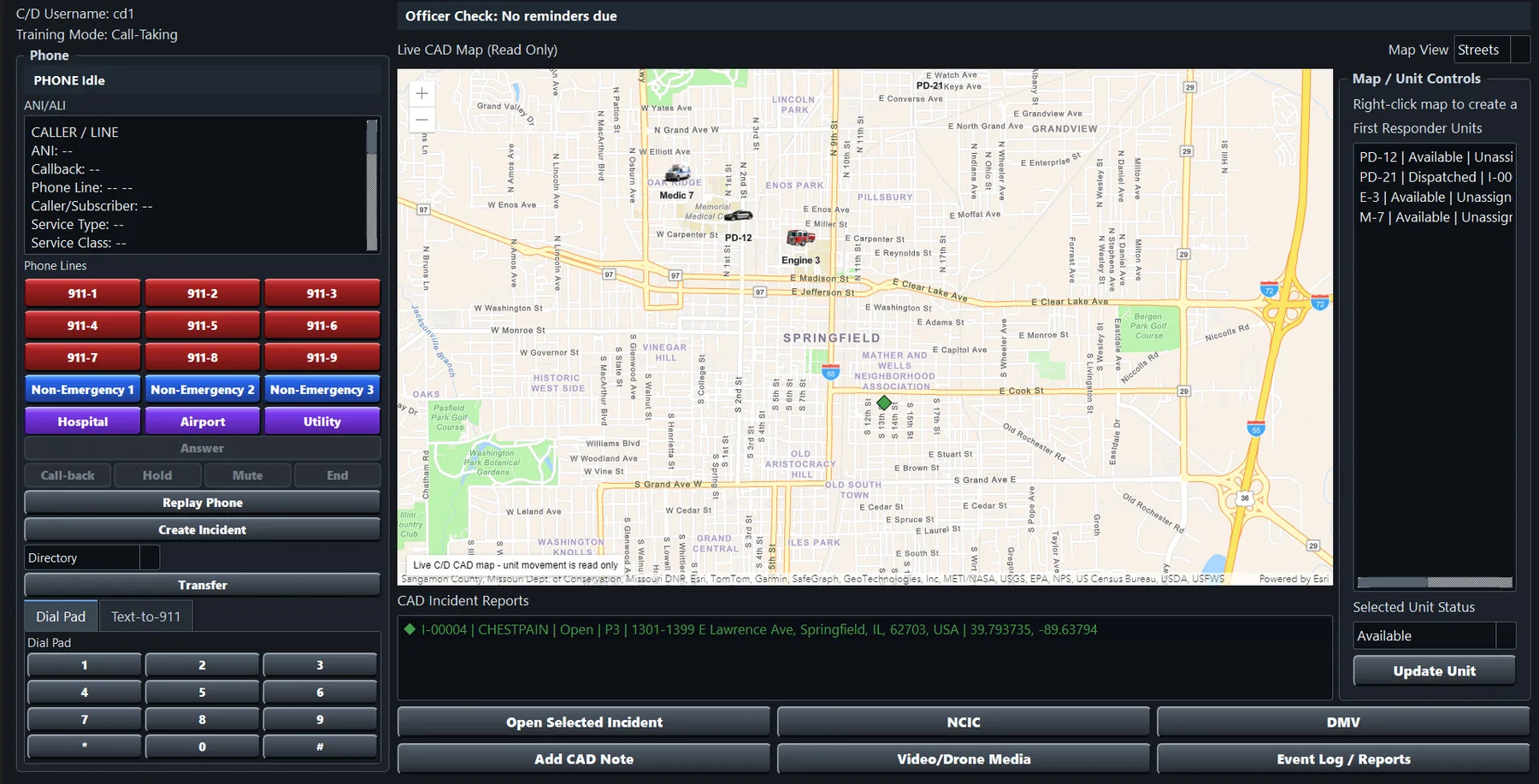
Capture notes, assignments, status changes, timing metrics, and protocol completion in incident reports.
Open compiled reports, add instructor observations, and export selected or aggregate training records.
Connect caller and first-responder role players to the learner’s phone, CAD, and radio workflow.
Actual SimSoft training interface; displayed names, locations, and incidents are simulation data.
Simulation can support a progression from individual skill practice to scenarios where information arrives through multiple channels and must be documented, prioritized, and communicated.
Tell us about your learners, roles, space, and goals.